Tutustu itslearningin kuvanvalintaominaisuuteen, joka on yksinkertainen tapa ladata, hallita ja käyttää kuvia uudelleen henkilökohtaistamisen ja tehokkuuden parantamiseksi.
Esittelemme tällä viikolla kuvien valintaikkunan, joka on yhtenäinen työkalu kurssien kuvien hallintaan. Voit ladata, rajata ja valita kuvia yhdestä paikasta, olitpa sitten luomassa uusia kursseja tai päivittämässä olemassa olevia.
Tämä tuo johdonmukaisuutta kuvien käsittelyyn ja helpottaa kurssien mukauttamista ja kiinnostavien oppimisympäristöjen luomista.
Kolme tapaa lisätä kuvia
Kuvavalitsin tarjoaa joustavuutta kolmen erillisen välilehden avulla, joista jokaisella on oma erityinen käyttötarkoituksensa:
Lataa kuva
.png?width=3024&height=1712&name=image%20(8).png)
Lataa ja rajaa uusia kuvia suoraan tietokoneeltasi. Voit vetää ja pudottaa tiedostoja tai selata niitä valitaksesi ne, mikä sopii parhaiten työprosessiisi. Lataamisen jälkeen voit rajata ja kehystää kuvan täysin haluamallasi tavalla.
Voit tallentaa ladatut kuvat henkilökohtaiseen kokoelmaasi myöhempää käyttöä varten. Näin voit luoda kurssillesi sopivan kuvakirjaston, jota voit käyttää milloin tahansa.
Kuvasi
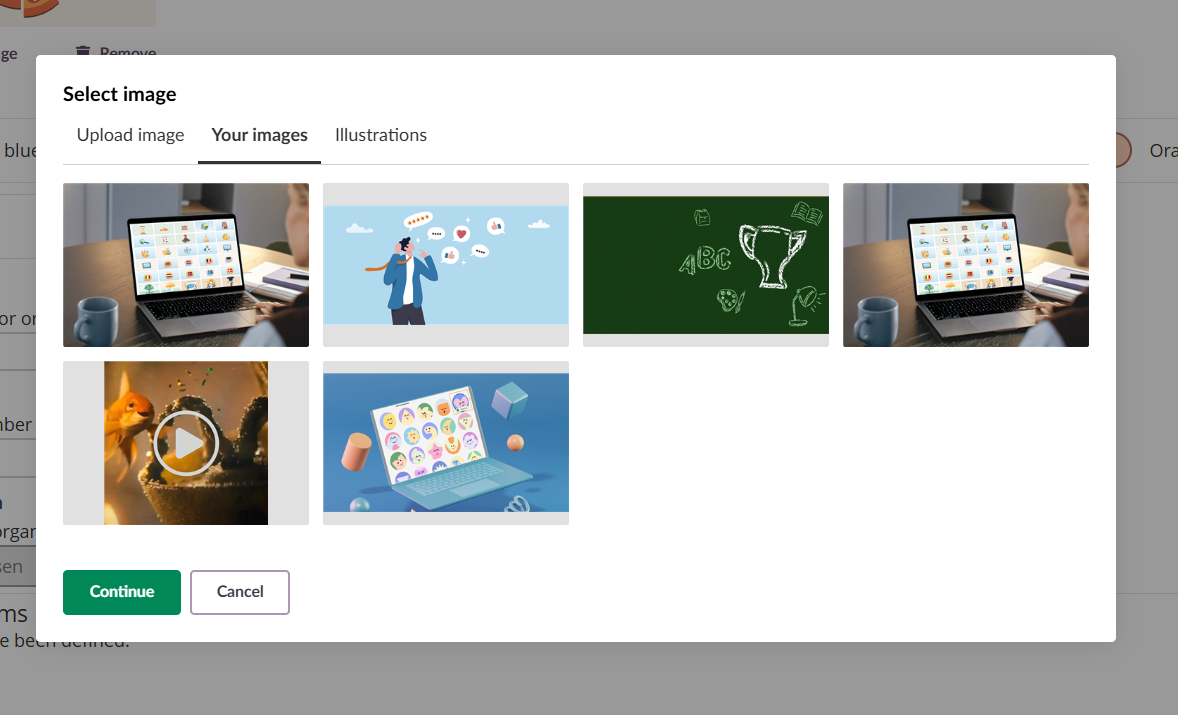
Käytä tallennettujen kuvien henkilökohtaista kirjastoa. Kaikki aiemmin tallentamasi kuvat on järjestetty yhteen paikkaan, joten visuaalisen yhtenäisyyden ylläpitäminen kursseillasi on nopeaa ja helppoa.
Klikkaa mitä tahansa tallennettua kuvaa, rajaa se tarvittaessa ja käytä sitä. Samaa kuvaa ei tarvitse ladata useita kertoja.
Kuvitukset
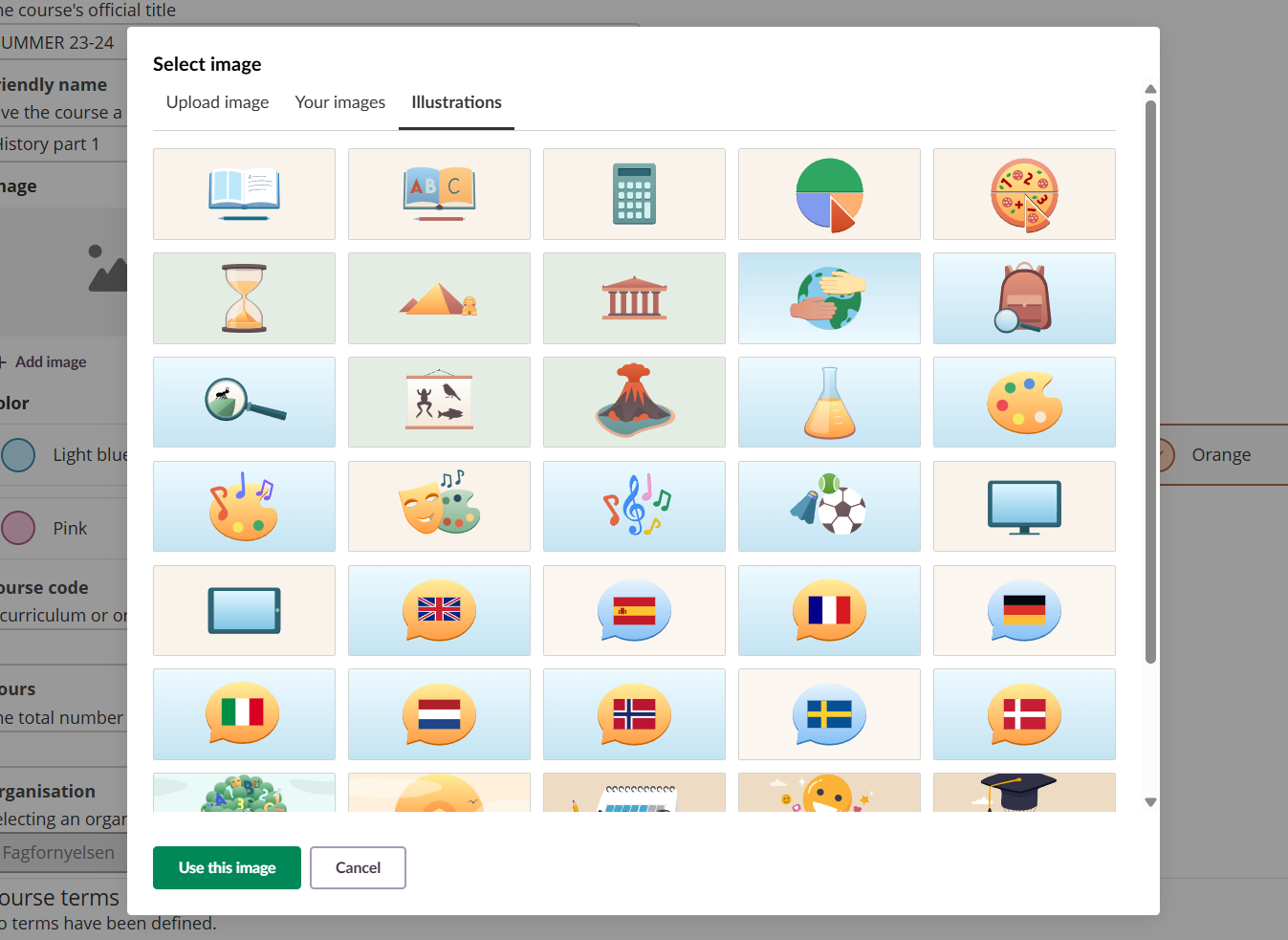
Valitse itslearningin tarjoamista valmiista kuvista. Nämä grafiikat sopivat erinomaisesti tilanteisiin, joissa tarvitset nopeasti visuaalisen elementin ilman, että sinun tarvitsee ladata omia kuvia.
Huomaa: Sivuston ylläpitäjä hallitsee, mitkä kuvat ovat käytettävissä. Jos et näe kaikkia kuvia tässä välilehdessä, perusopetukseen liittyvät kuvat on mahdollisesti poistettu käytöstä sivustollasi.
Digitaalinen kirjasto
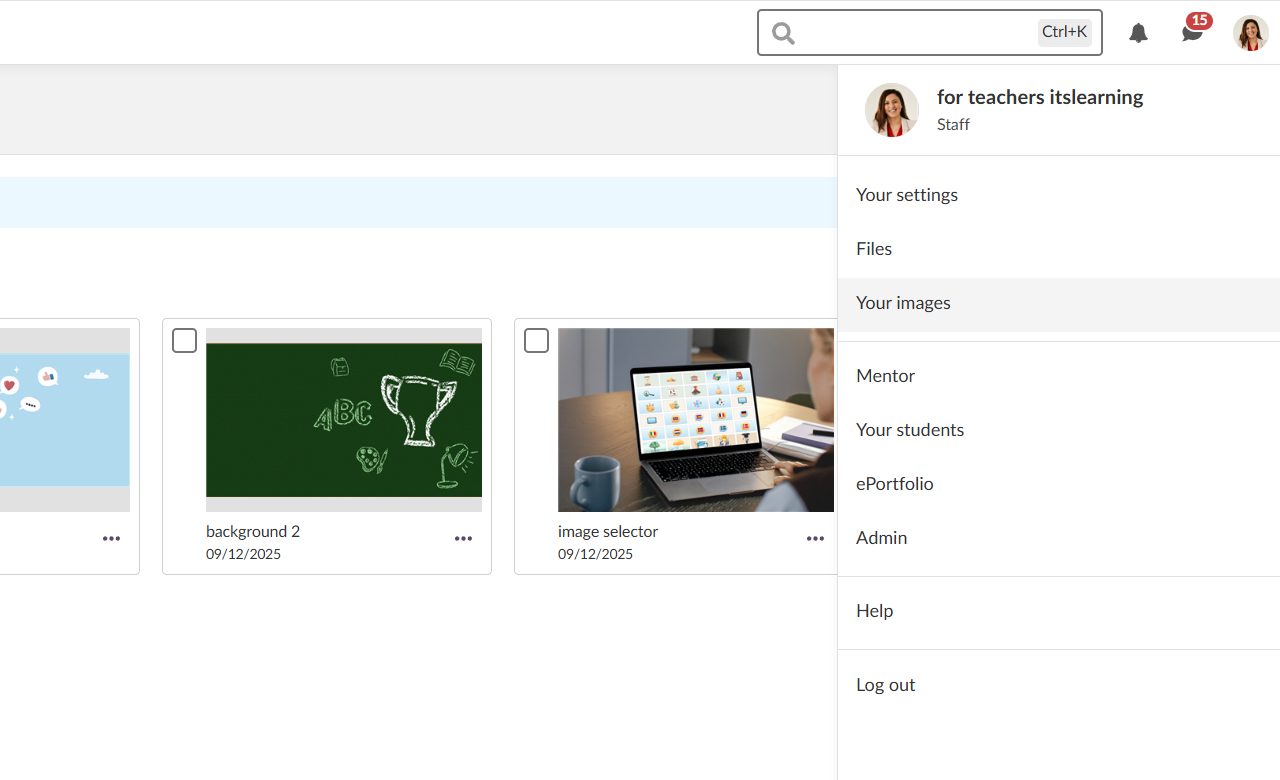
Valitsimen valintaikkunan lisäksi sinulla on nyt oma tila, jossa voit hallita kaikkia tallennettuja kuvia. Pääset sinne henkilökohtaisen valikon kautta klikkaamalla profiilikuvaasi oikeassa yläkulmassa ja valitsemalla"Kuvasi".
Tältä sivulta voit:
- Ladata uusia kuvia kokoelmaasi
- Poistaa kuvat, joita et enää tarvitse
- Päivittää kuvien kuvaukset esteettömyyden parantamiseksi
- Nähdä, milloin kukin kuva on ladattu
Esteettömyys ytimessä
Olemme rakentaneet esteettömyyden osaksi kuvanvalitsimen jokaista osa-aluetta. Kun lataat kuvia, voit lisätä niihin kuvauksia, joita näytönlukijat käyttävät kuvaamaan visuaalista sisältöä käyttäjille, jotka eivät näe sitä. Tämä varmistaa, että kurssisi ovat inklusiivisia ja esteettömiä kaikille oppijoille.
Leikkausväline on suunniteltu toimimaan saumattomasti näppäimistöjen ja näytönlukijoiden kanssa, jolloin kuvien hallinta on kaikkien saatavilla.
Mistä löydät kuvanvalitsimen
Kuvien valintaikkuna on tällä hetkellä käytettävissä, kun:
- Olet luomassa uuden kurssin
- Muokkaat kurssin ominaisuuksia ja toimintoja
Tämä on vasta alkua. Tulevissa päivityksissä aiomme laajentaa kuvanvalitsimen muihin alustan osiin, jotta voit hallita kuvia yhdenmukaisesti missä tahansa niitä tarvitset.
Aloittaminen
Käytä kuvanvalitsinta kurssien mukauttamiseen kuvilla, jotka parantavat oppimiskokemusta. Voit ladata omia valokuviasi, käyttää tallennettuja kuvia tai valita kuvia meidän kuvapankistamme. Prosessi on yksinkertainen ja tehokas.
Luo henkilökohtainen kuvakirjasto työsi aikana ja nauti siitä, että eniten käyttämäsi kuvat ovat valmiina käytettäväksi vain muutamalla napsautuksella. Kuvavalitsin on suunniteltu säästämään aikaa ja antamaan sinulle luovaa vapautta kurssiesi ulkoasun ja tunnelman suhteen.
Lisätietoja kuvanvalitsimen käytöstä saat tukisivultamme.
Tämä ominaisuus on osa Saksan kehityshanketta (GDP), joka on neljän Saksan osavaltion ja itslearning välinen yhteistyöhanke, itslearning parantaa digitaalista koulutusta Saksassa räätälöityjen tuotekehitysten avulla.
Lue lisää GDP ja muista odotettavissa olevista ominaisuuksista.
Saksalaisille lukijoille on tarjolla lisätietoja Saksan kehitysyhteistyöhankkeesta verkkosivuillamme.